Download Pattrans
The Pattrans desktop application for Windows is available now; the macOS version is coming soon. Install the app, then create or sign in to your Pattrans account — your Plan and Standard Words are linked to your account.
0.2.22 · 112 MB · Windows 10/11 · 64-bit
Windows may warn you the first time
Windows or your browser may say this file "isn't commonly downloaded" or call it an "unrecognized app". That means the app is new and few people have installed it yet — not that the file is unsafe. The installer is signed by PATTRANS COMPANY LIMITED, and you can check that name before you continue.
If you use Microsoft Edge

-
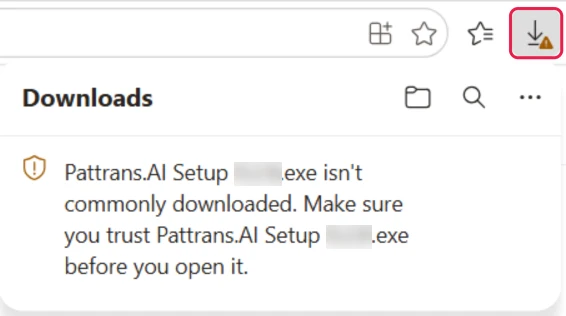
Edge may hold the file in its Downloads panel with the message "isn't commonly downloaded". If the panel has closed, select the Downloads icon at the top right.
-
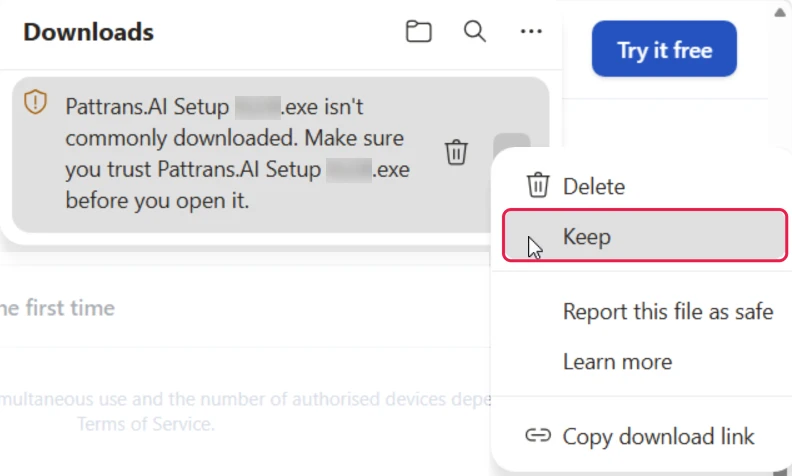
Point at the file and select the ··· that appears beside it (not the ··· next to the word Downloads), then choose Keep.
-
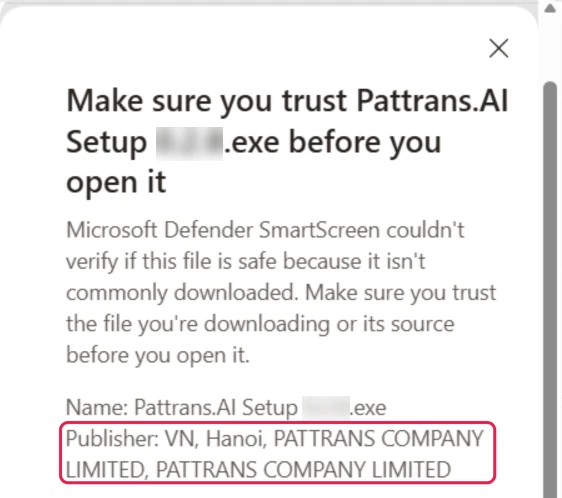
Edge asks you to make sure you trust the file. Check that Publisher shows PATTRANS COMPANY LIMITED.
-
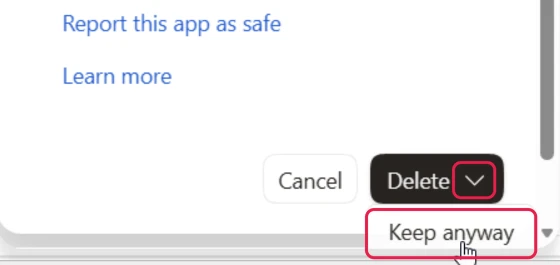
Select the arrow beside Delete, then choose Keep anyway.
-
Edge now keeps the file. Select Open file to start the installer — or the folder icon beside the file to find it in your Downloads folder.
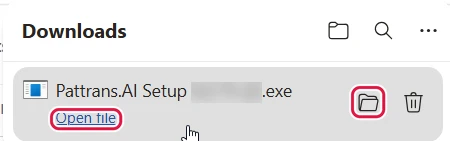
If you use Google Chrome

-
Chrome may finish the download without any warning. Select the Downloads icon at the top right to see the file.
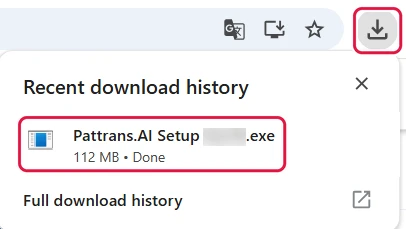
-
Open the installer: double-click "Pattrans.AI Setup …" in your Downloads folder, or select it in your browser's downloads list.
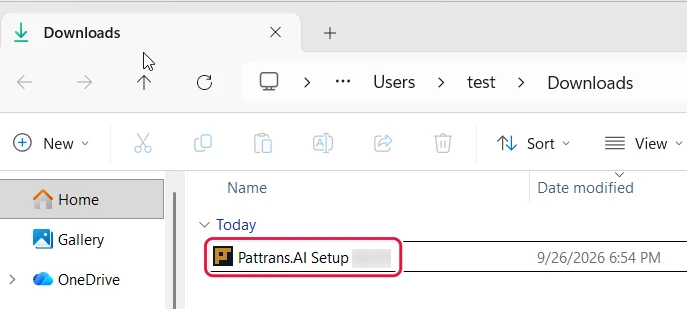
-
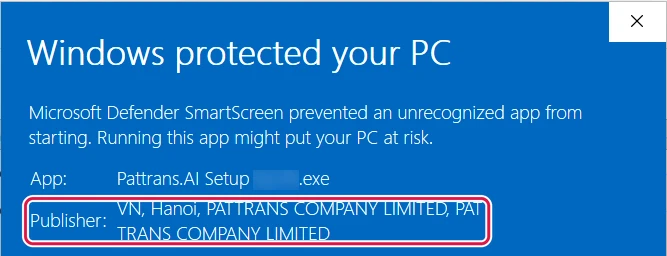
Windows may show a blue screen, "Windows protected your PC" — select More info.
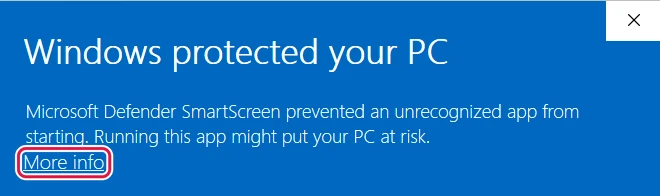
-
Check that Publisher shows PATTRANS COMPANY LIMITED.
-
Select Run anyway.

Installing and signing in
-
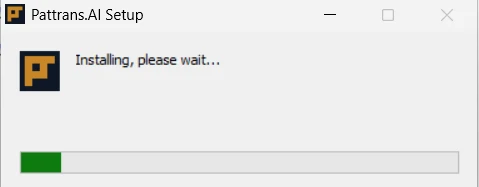
Pattrans.AI installs on its own — wait until it finishes.
-
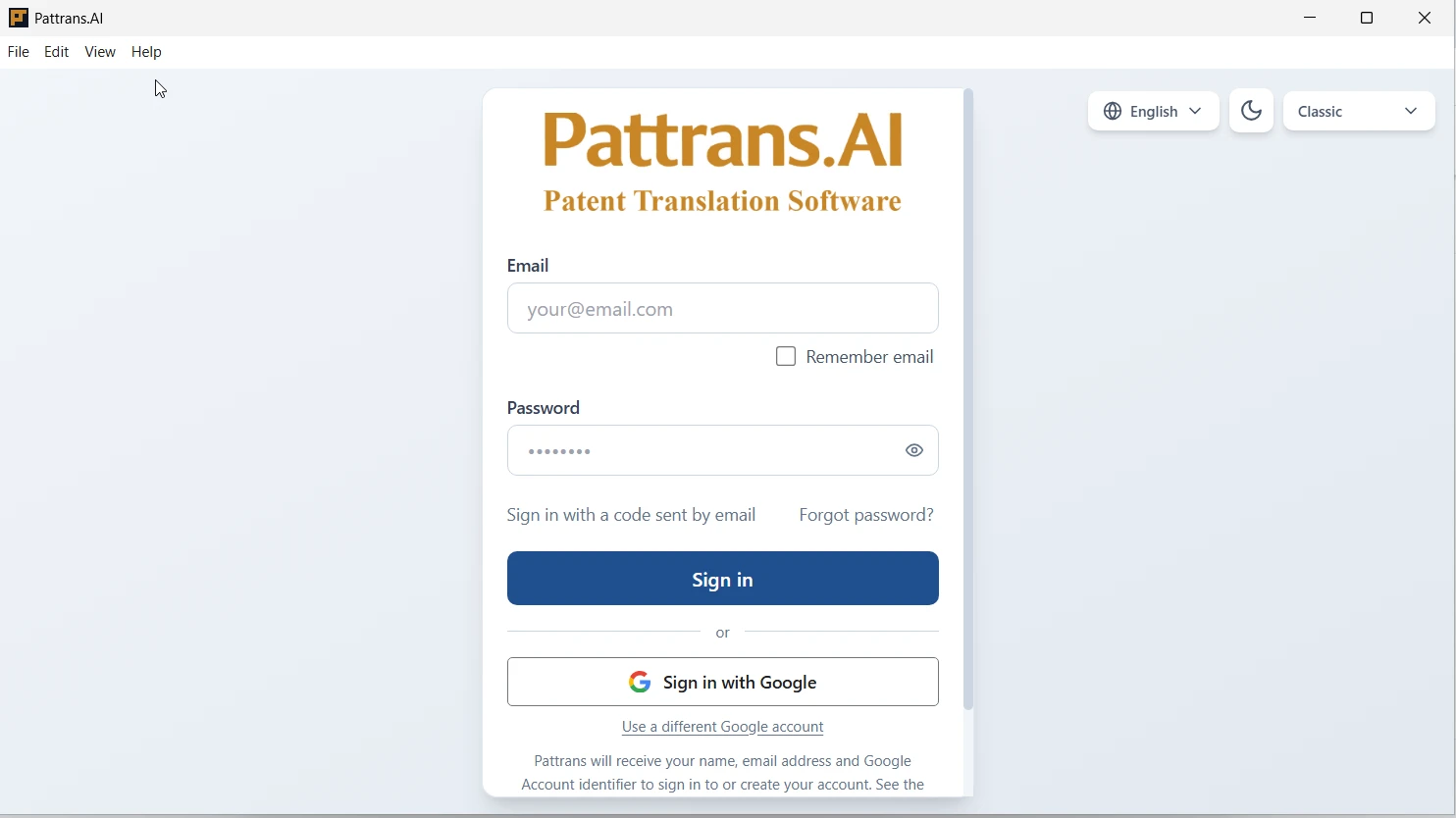
Pattrans.AI then opens at the sign-in screen. Sign in, or create your Pattrans account.
Pictures in English: Microsoft Edge on 22 September 2026; Google Chrome and the Windows screens on 26 September 2026. Version numbers in file names are blurred; other browsers look different.
Advanced: check the file's SHA-256 (for IT staff)
Prefer to verify the file yourself? Its SHA-256 is:
aed6c5f91eb7b302e907a6319c64c2c99454a36b1c7fd78b56230ea4d92cba6f
Run this in PowerShell and compare the result:
Get-FileHash "$HOME\Downloads\Pattrans.AI Setup 0.2.22.exe" -Algorithm SHA256
You may install the app on supported devices; simultaneous use and the number of authorised devices depend on your Plan (the "Policy on service provision methods" part of the General Transaction Conditions (Vietnamese)).